



Creating an Android App for Your Radio Station
Want to launch a mobile app for your radio station quickly and affordably? We offer a modern solution for fast creation of high-quality mobile apps!
Our advantages:
- Instant app creation under your brand: logos, colors, descriptions - all easily customized using our app builder
- 100% Native Android & iOS apps
- We regularly update and maintain our app engine, adding support for the latest Android versions and expanding functionality
- The app is compatible with any Internet radio hosted on our platform, as well as any stations using Shoutcast or Icecast servers
- App publishing on Google Play and Huawei App Gallery via our developer account or yours
- Support for all popular Android platforms: Android Auto, Android TV
- Custom development of additional app features is available upon request
- Affordable one-time payment
- One-time payment: no monthly fees or recurring charges required
What you get:
- A sleek design with your branding and visual identity
- A reliable player for radio streaming
- A user-friendly interface for listeners
- Minimal technical effort — the basic version only requires you to fill out a simple form (name, description, logos, and radio stream URLs)
- Unlimited editing access: update app name, description, and any other parameters as often as you like - all updates are free. You can always download the ready APK file for manual publishing, or request us to update it in the app stores
- Easily update content like stream links, station info, or social links without republishing or updating the app on Google Play
- If the app is based on our platform, additional features are available: track voting (likes/dislikes), and track requests (shoutbox) directly from the app
Don’t waste time and money building from scratch — use our ready-made solution to create a professional mobile app for your internet radio station!
Step-by-step guide
-
Go to the order page and register
-
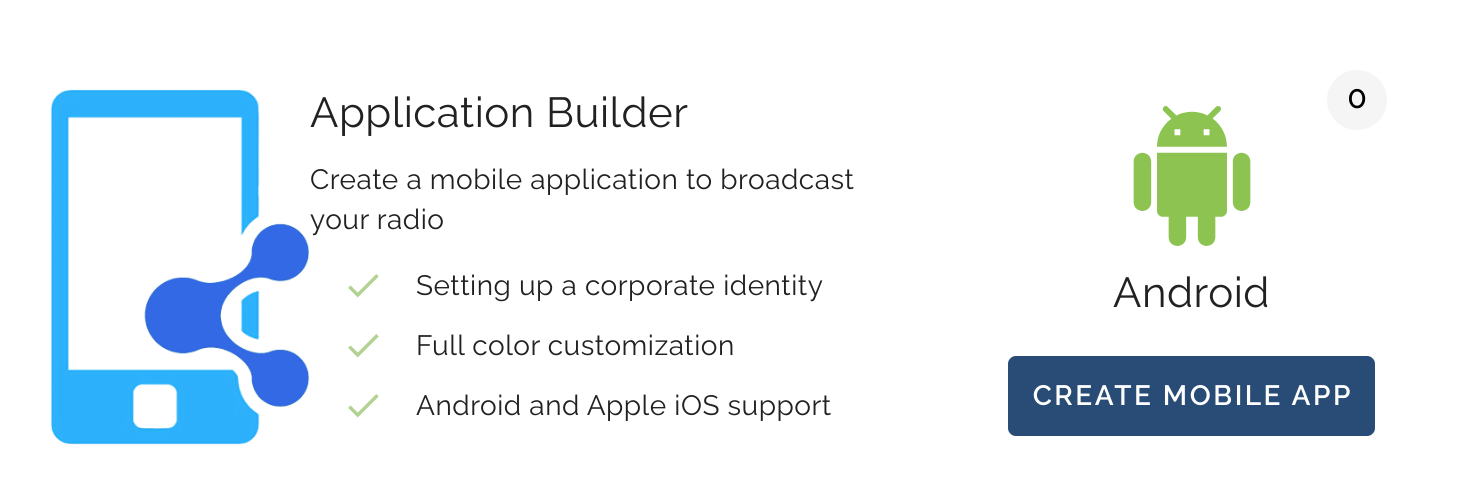
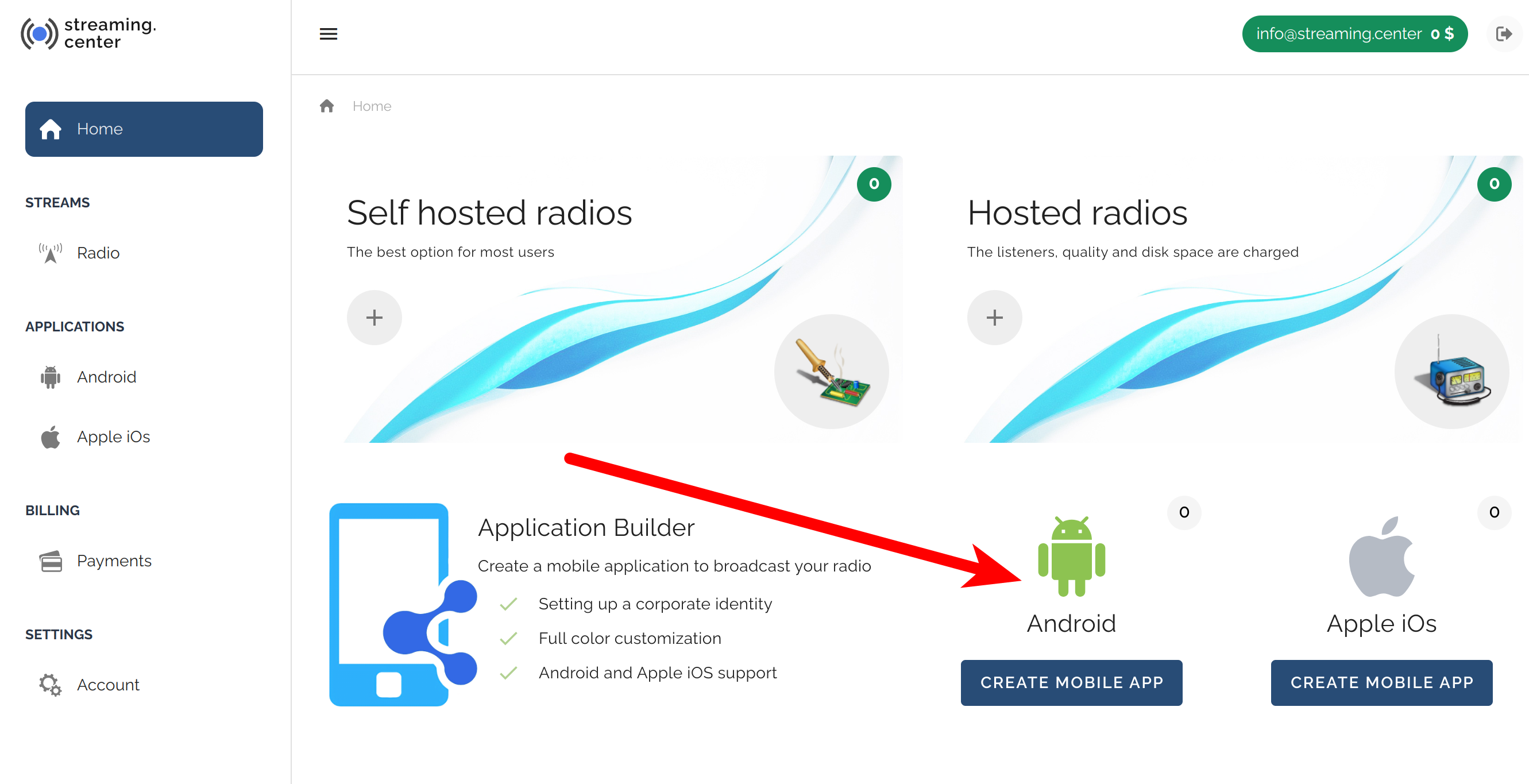
In your dashboard, open the “Applications” -> “Android” section:
-
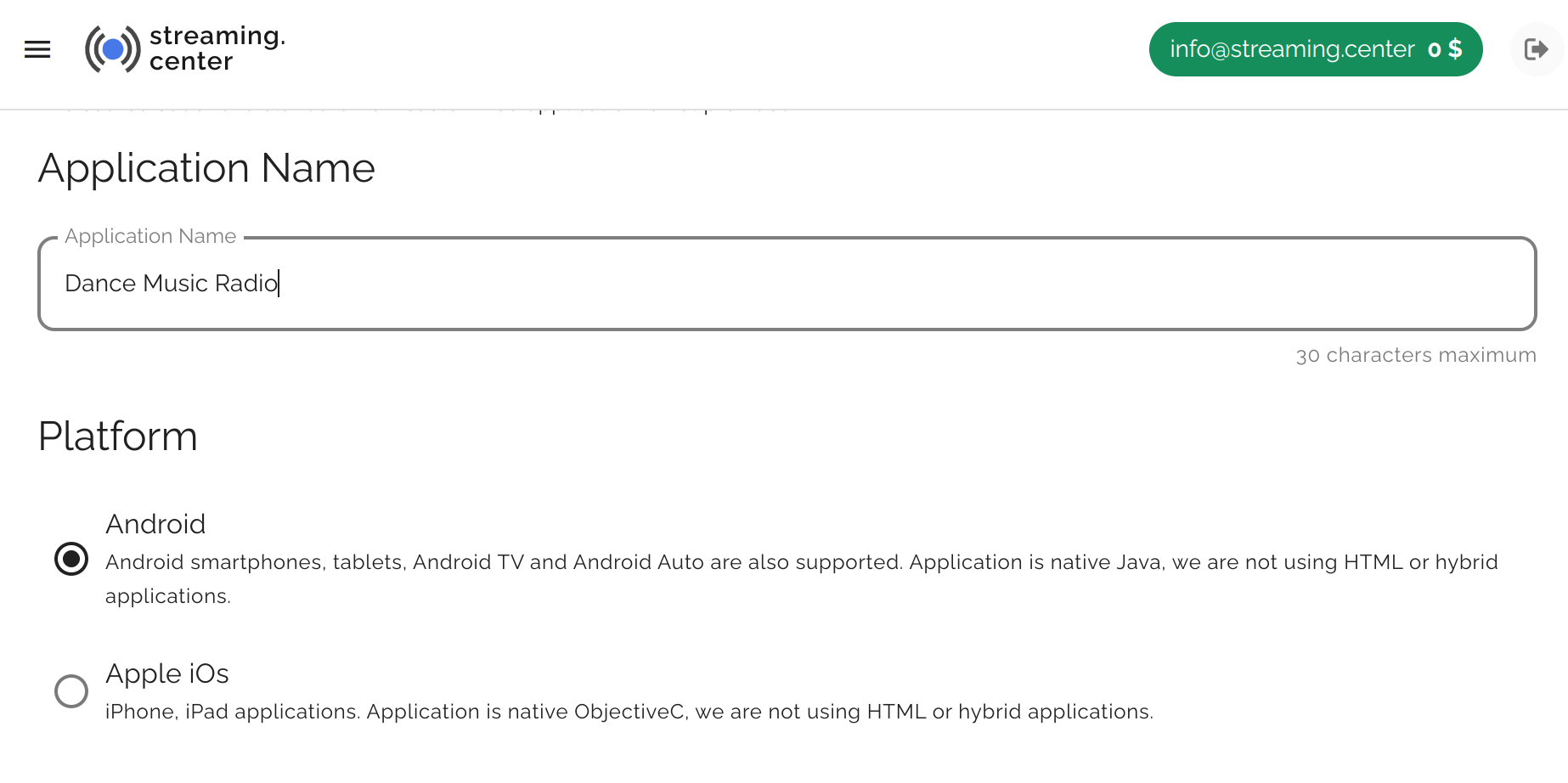
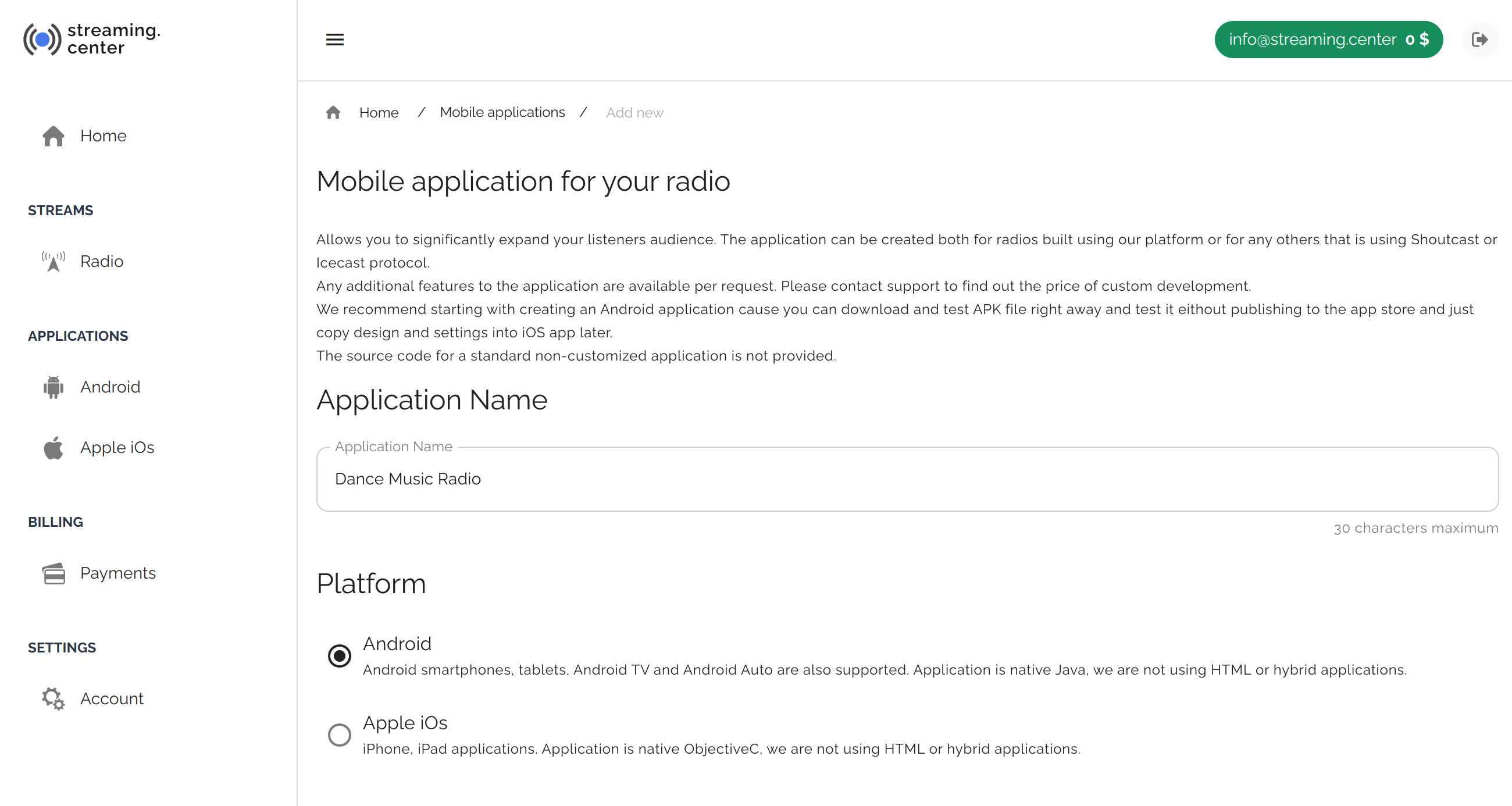
Click “Create Mobile App” and choose the basic app settings: name, publishing parameters, and copyright settings:
-
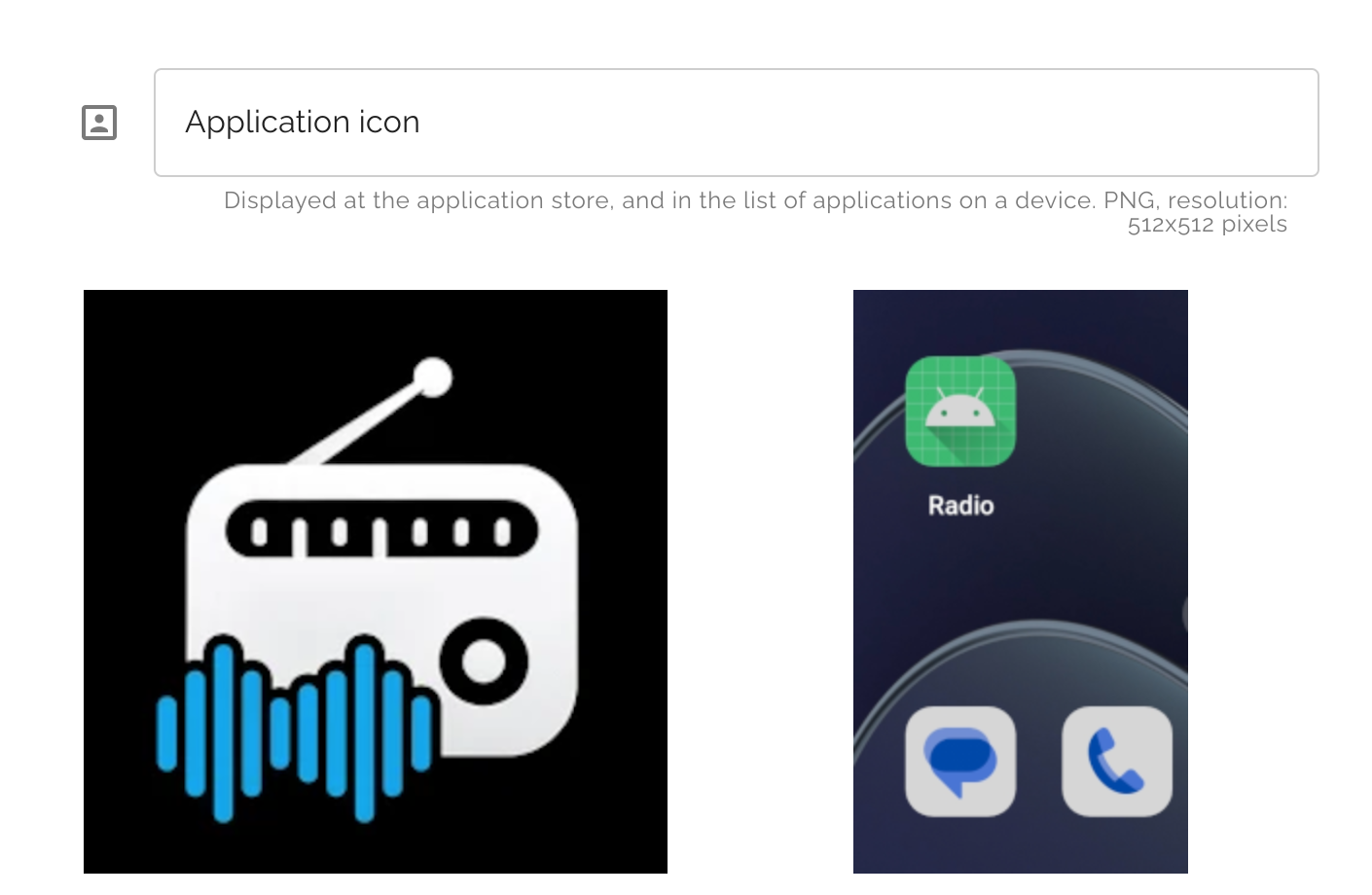
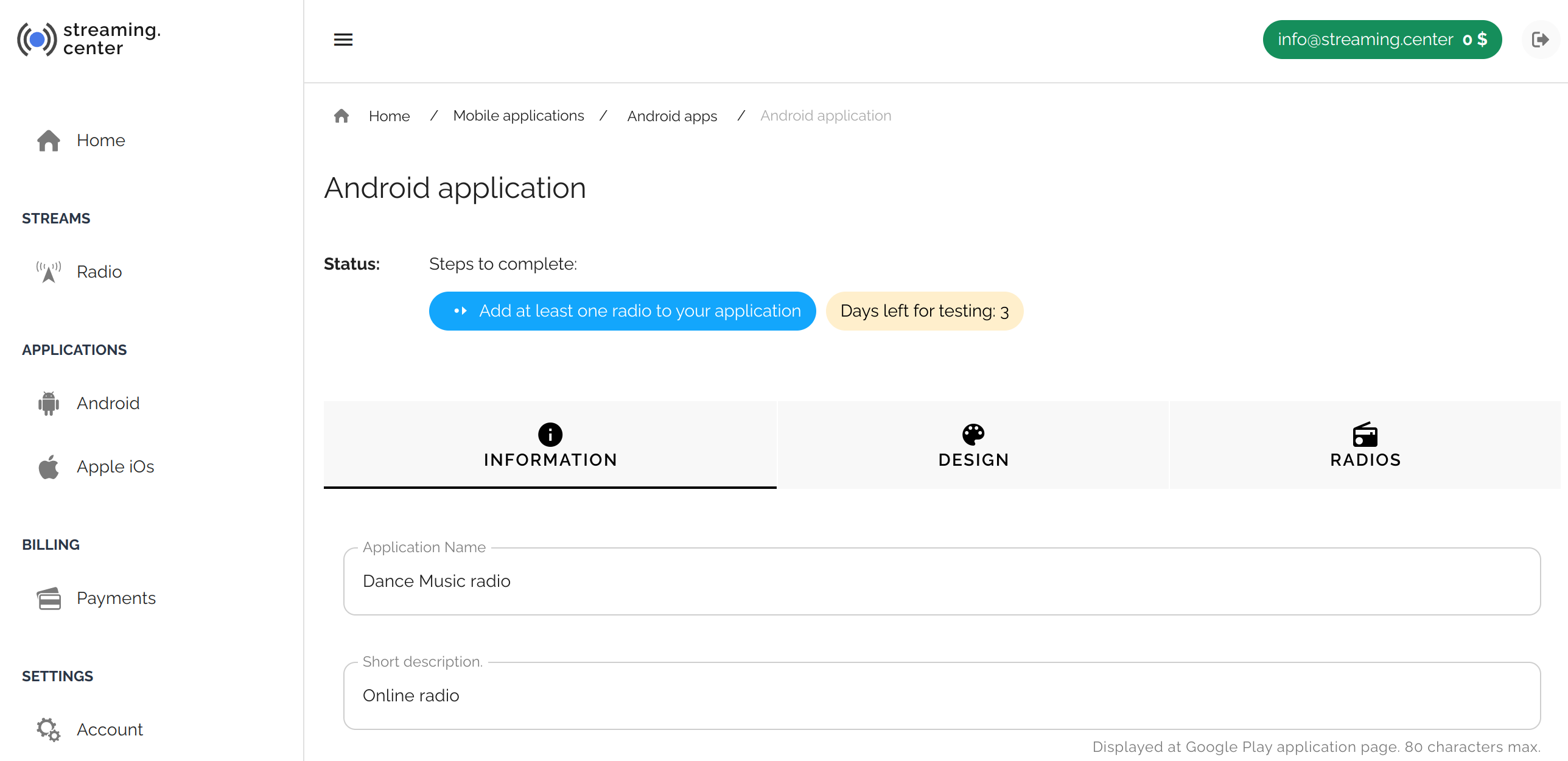
Fill out all fields in the “Information” section: full and short description, upload logos and icons:
-
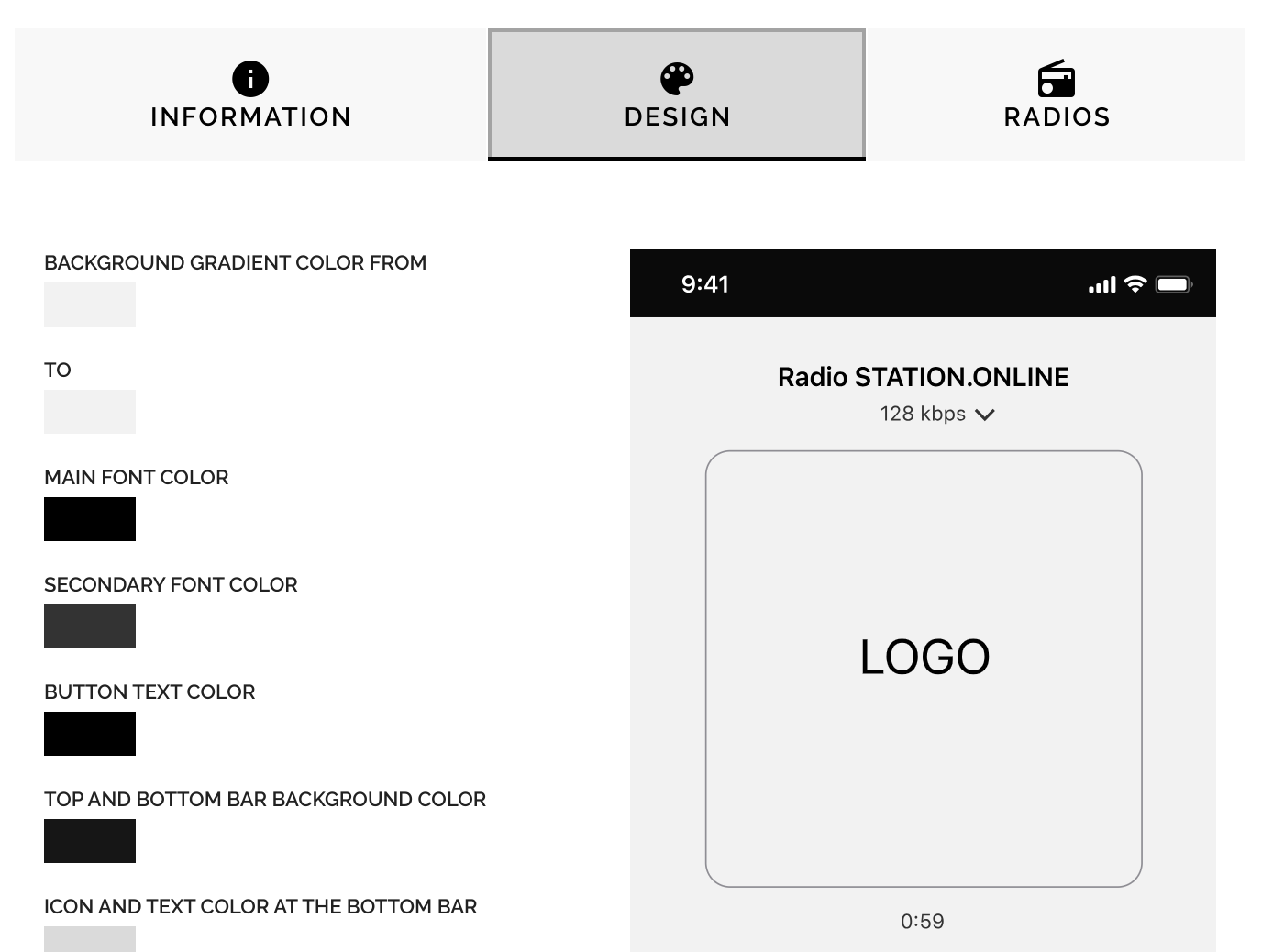
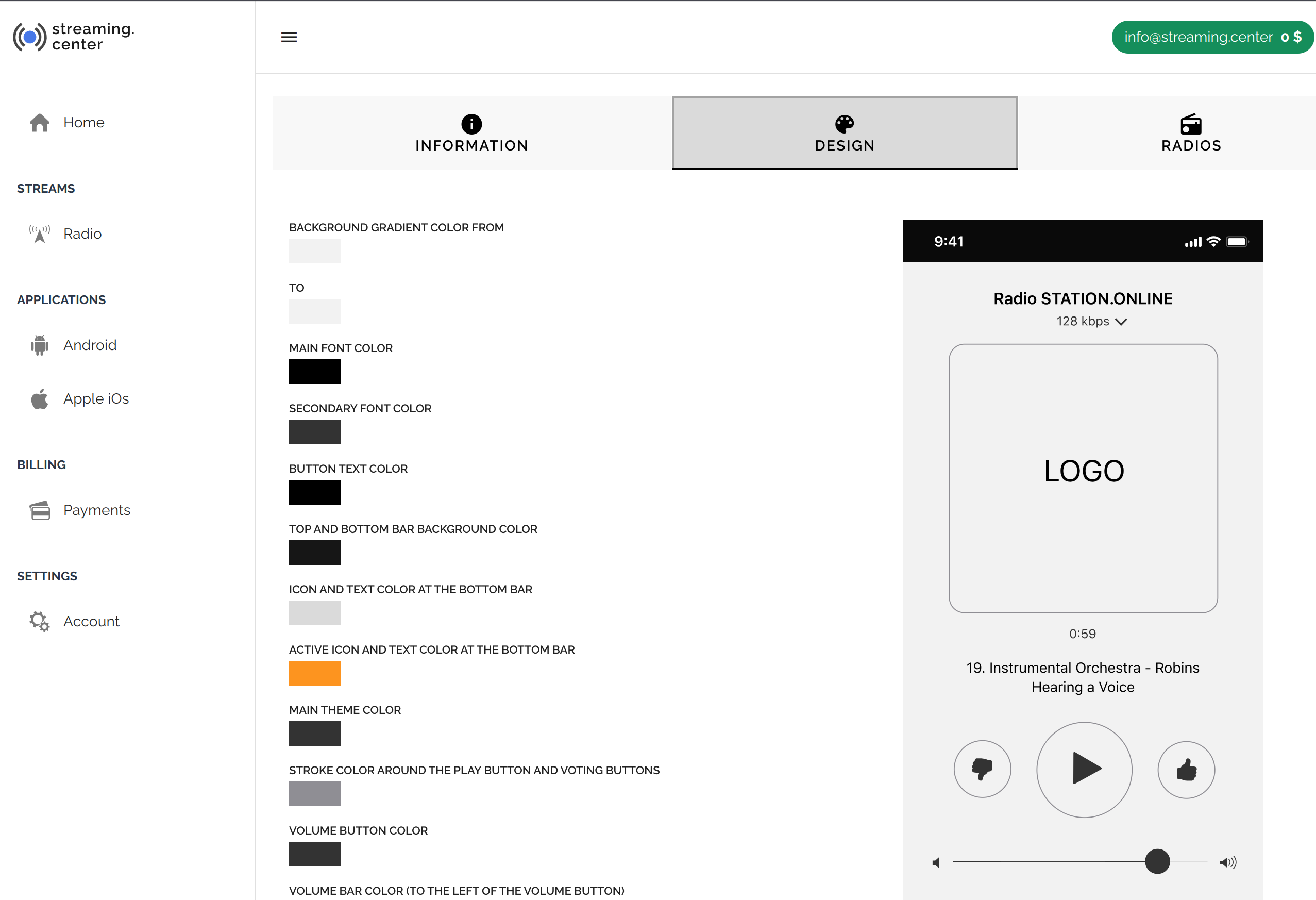
Customize the app appearance in the “Design” section: choose a ready-made skin or set all color elements individually:
-
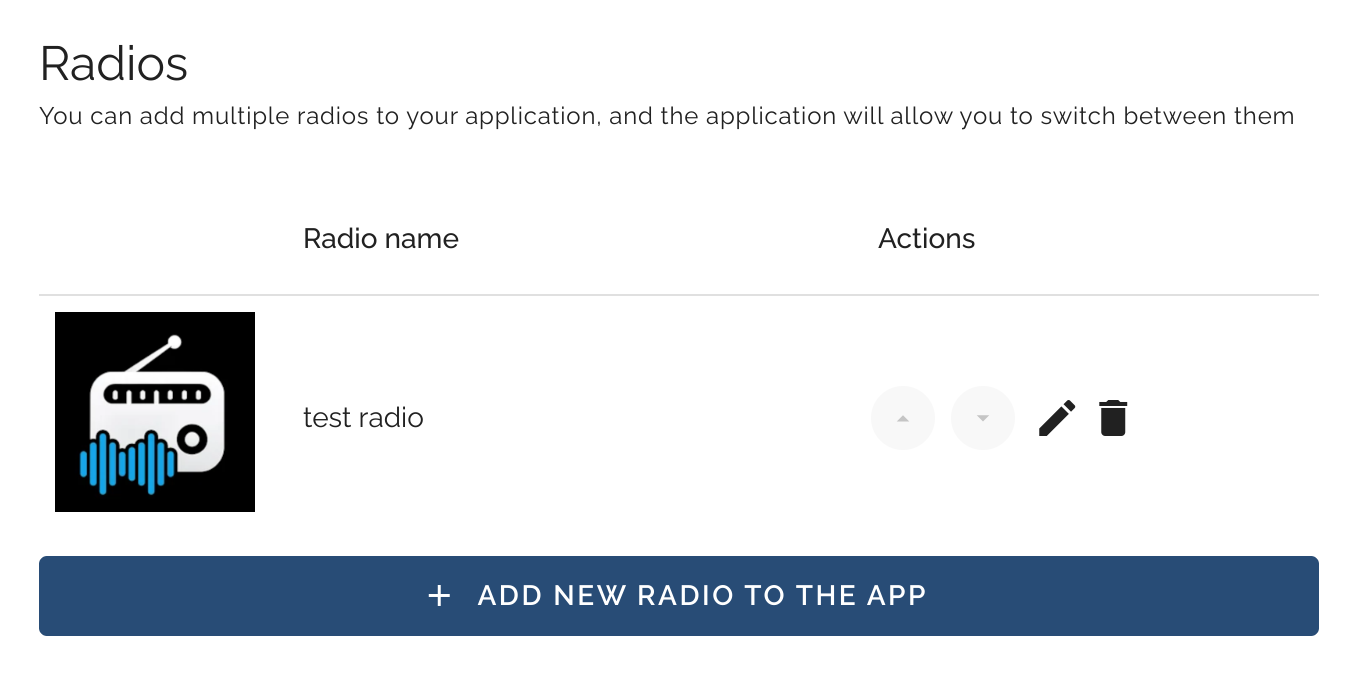
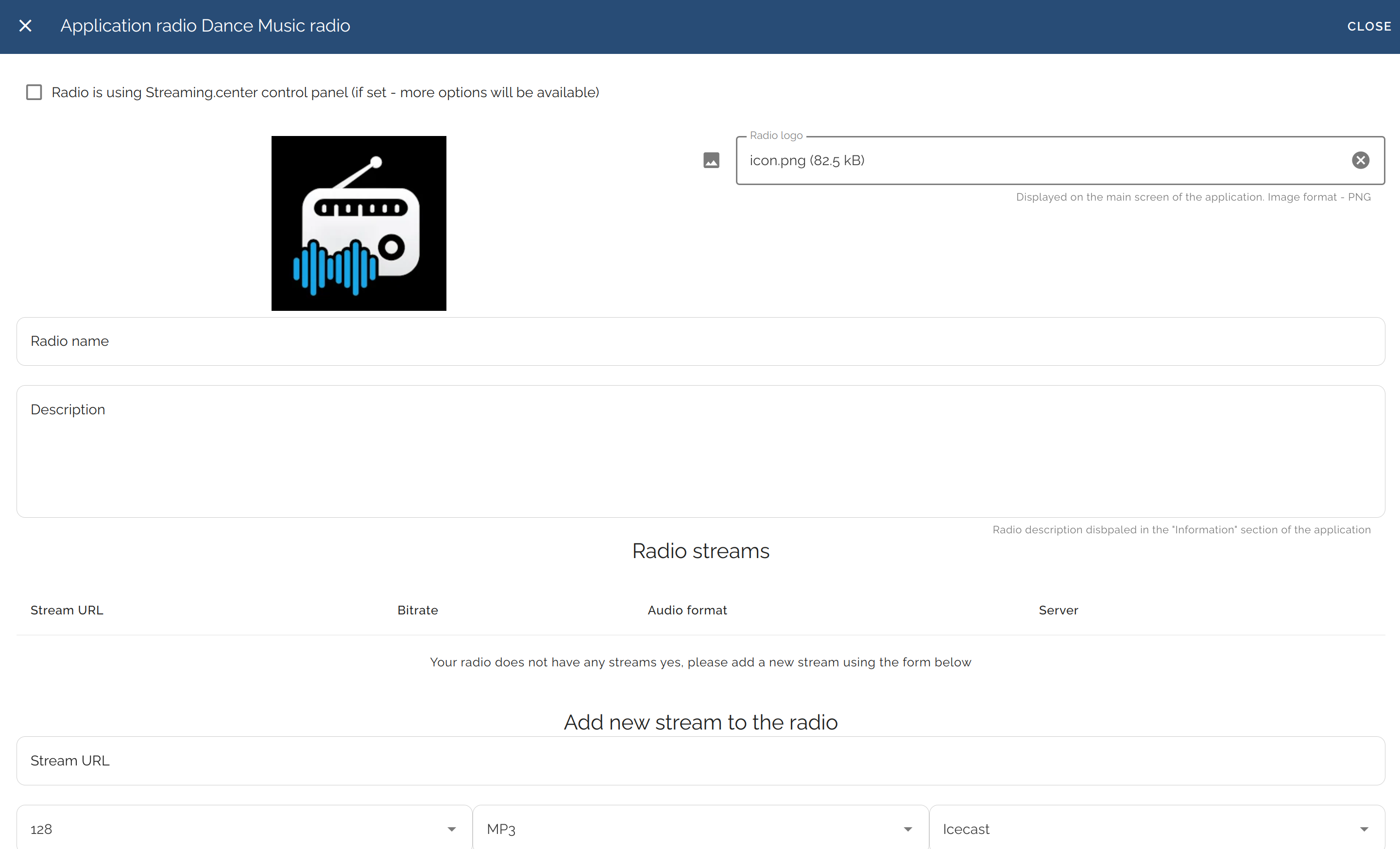
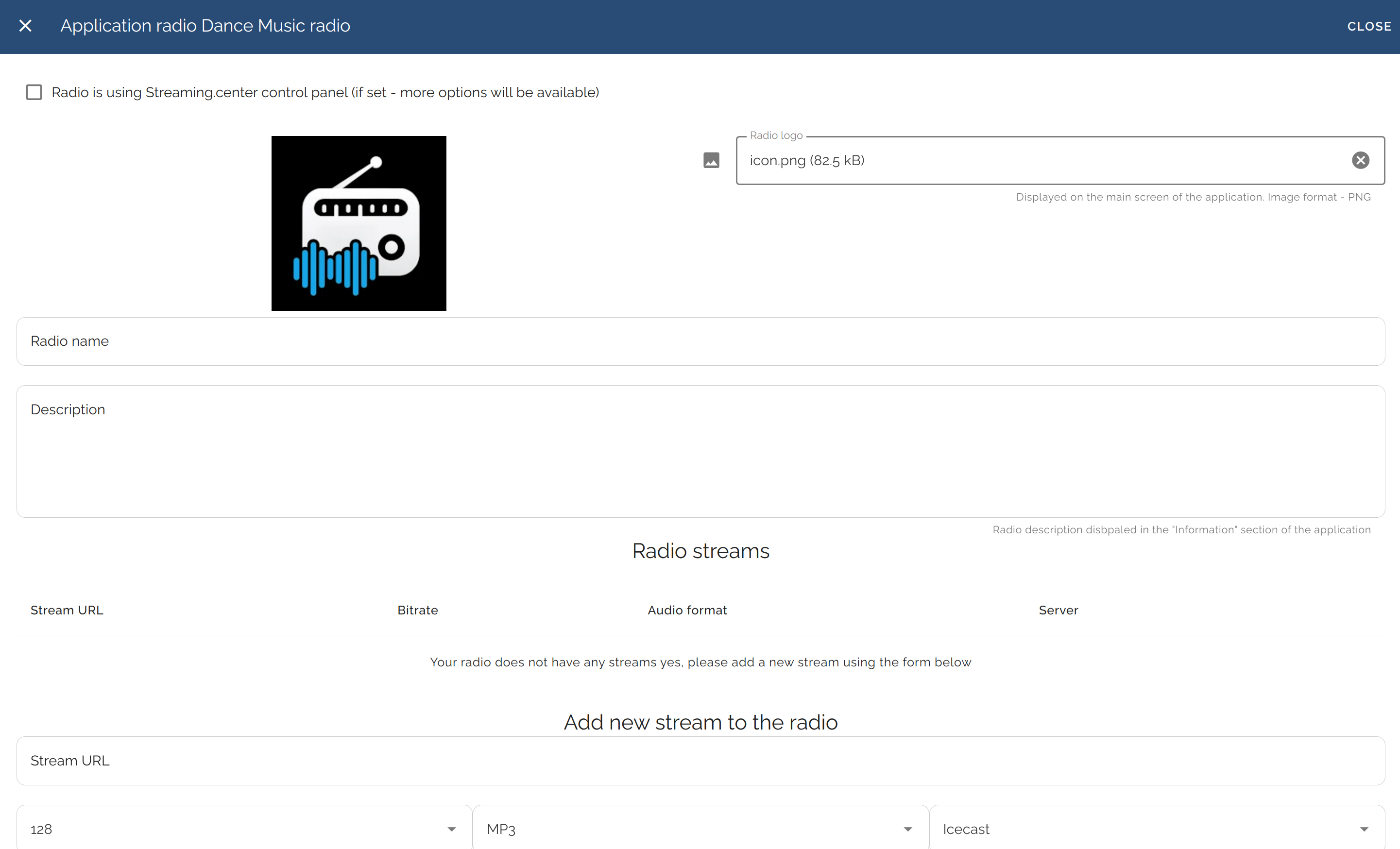
In the “Radios” section, you can add unlimited radio streams to the app. If multiple stations are added, a station-switching menu will appear in the app:
-
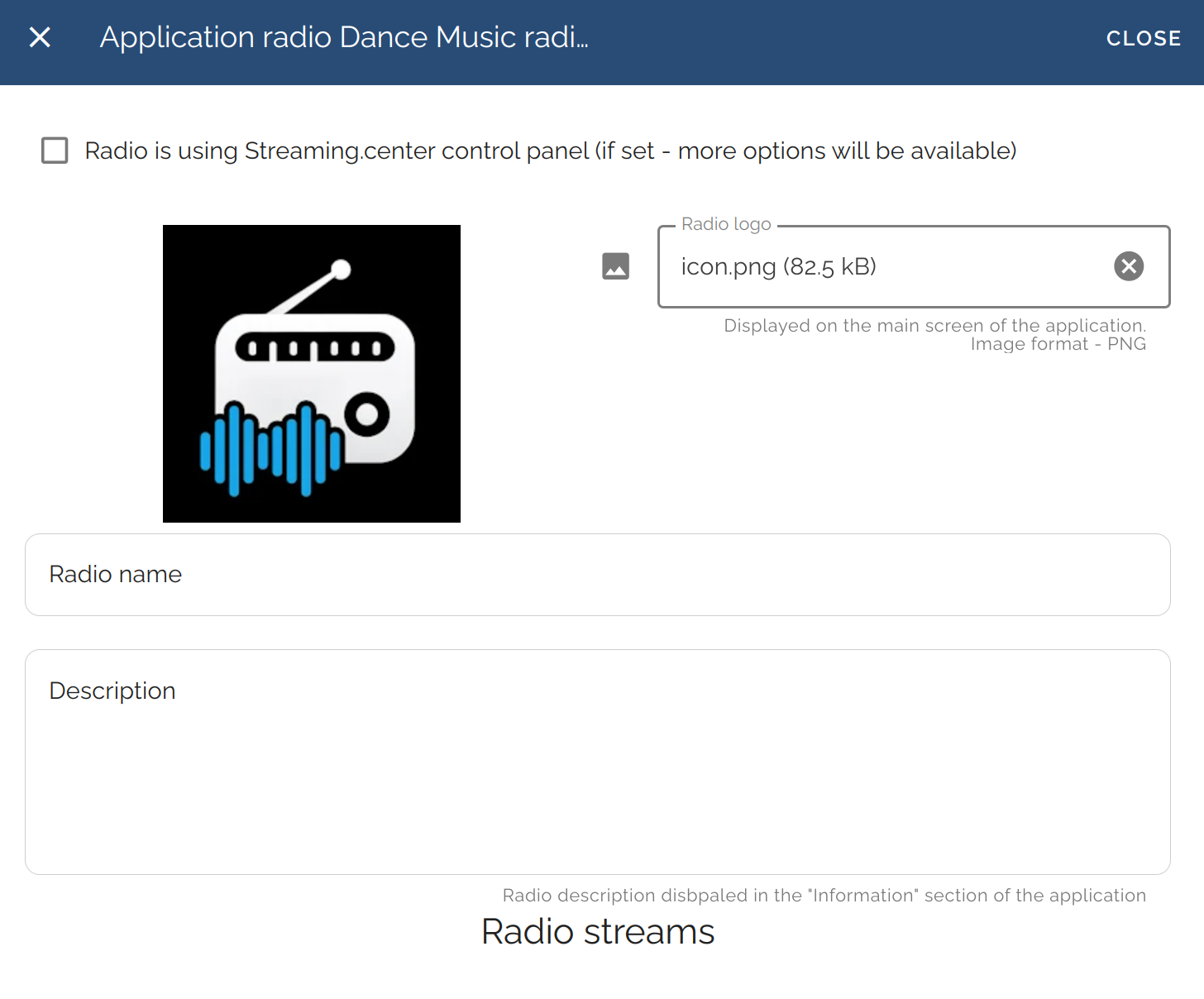
Each station can have its own logo, stream links, social media links, and a custom “Info” section:
-
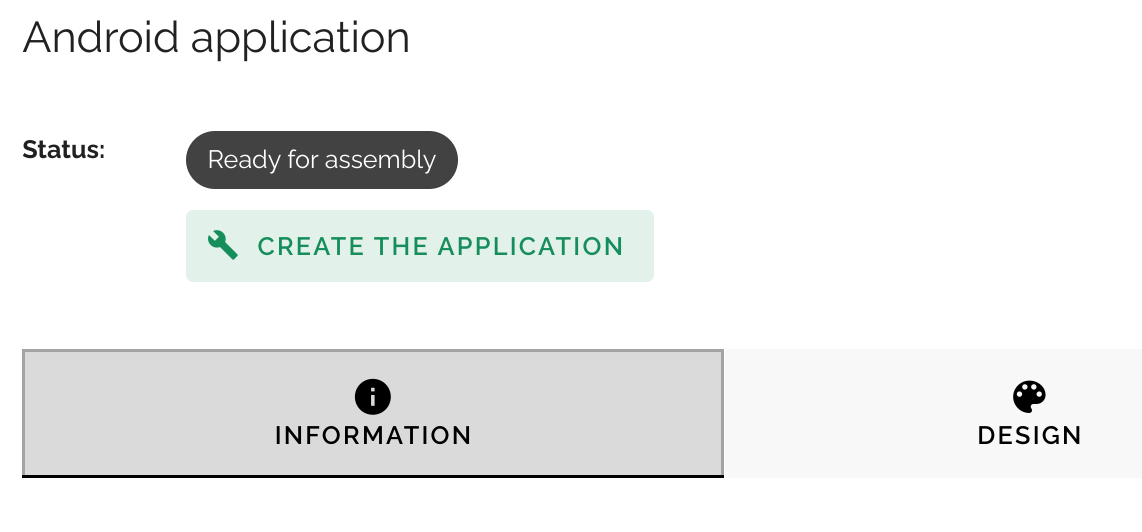
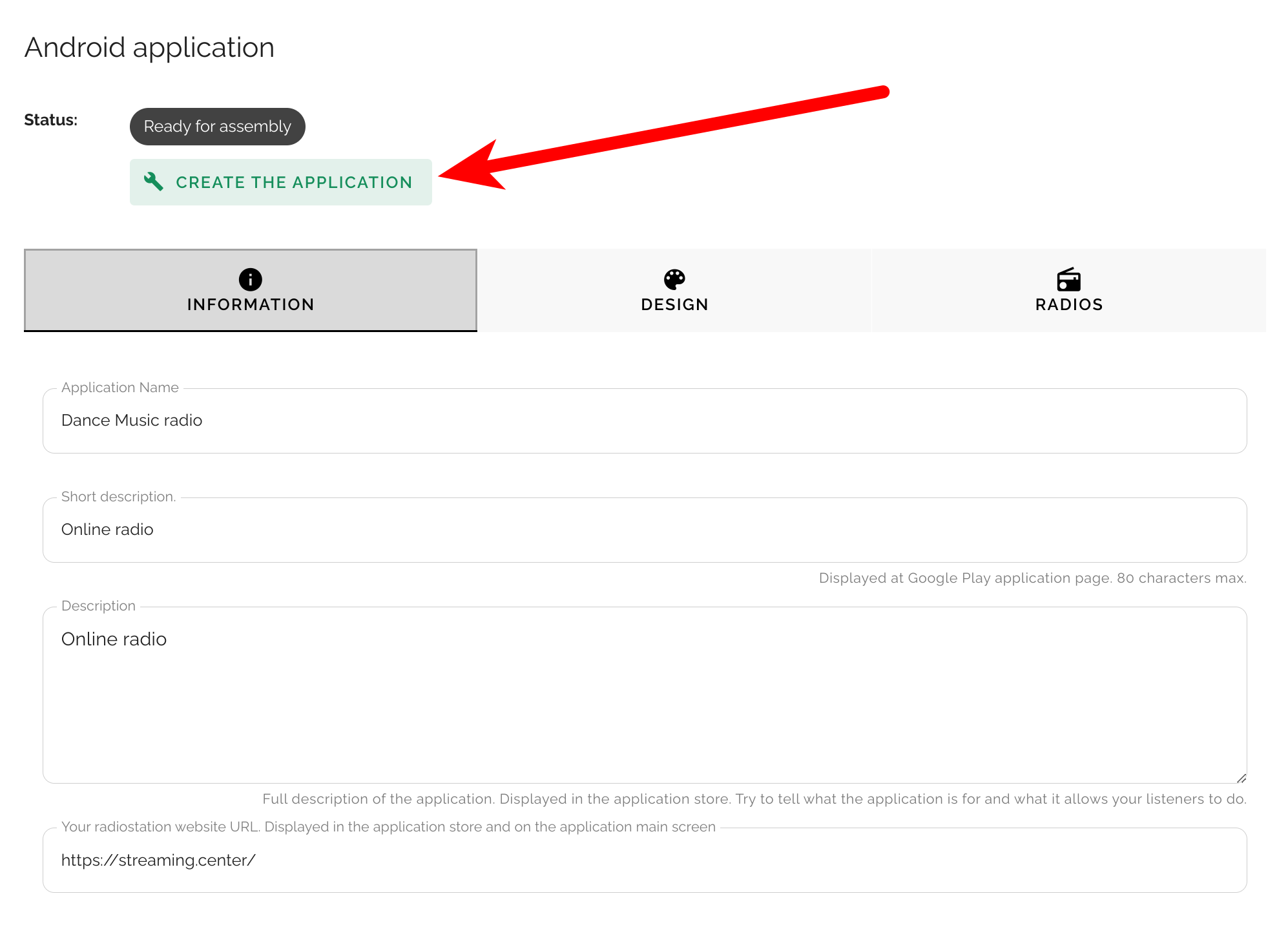
Once all information is filled out correctly, click the “Build App” button in the top menu and wait for the compilation to complete — typically 10–15 minutes:
-
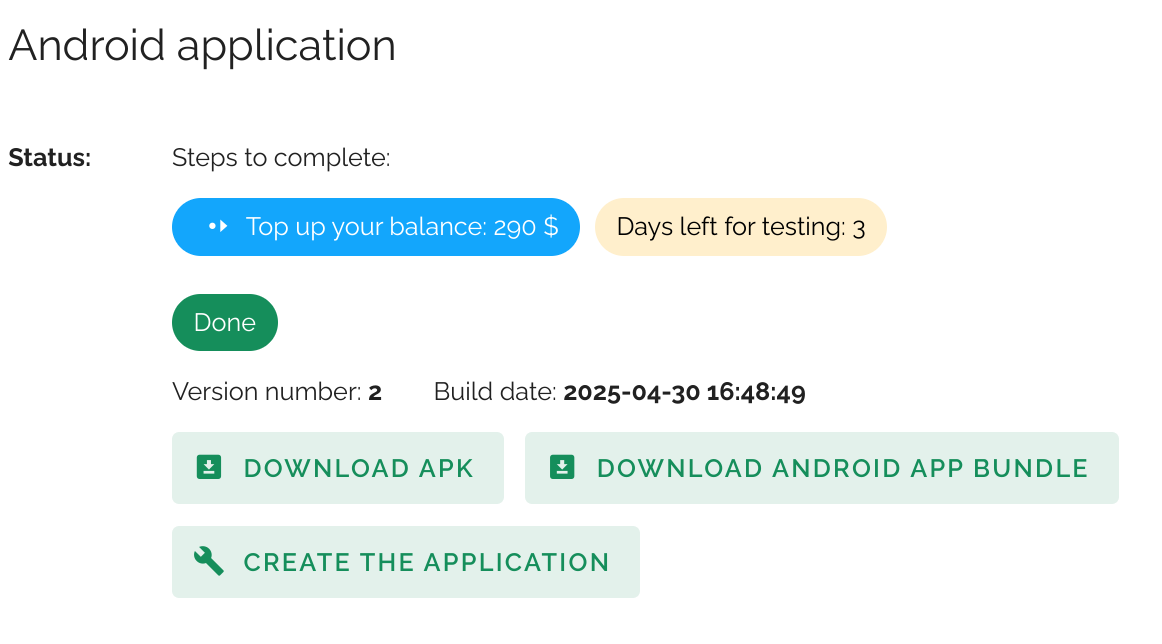
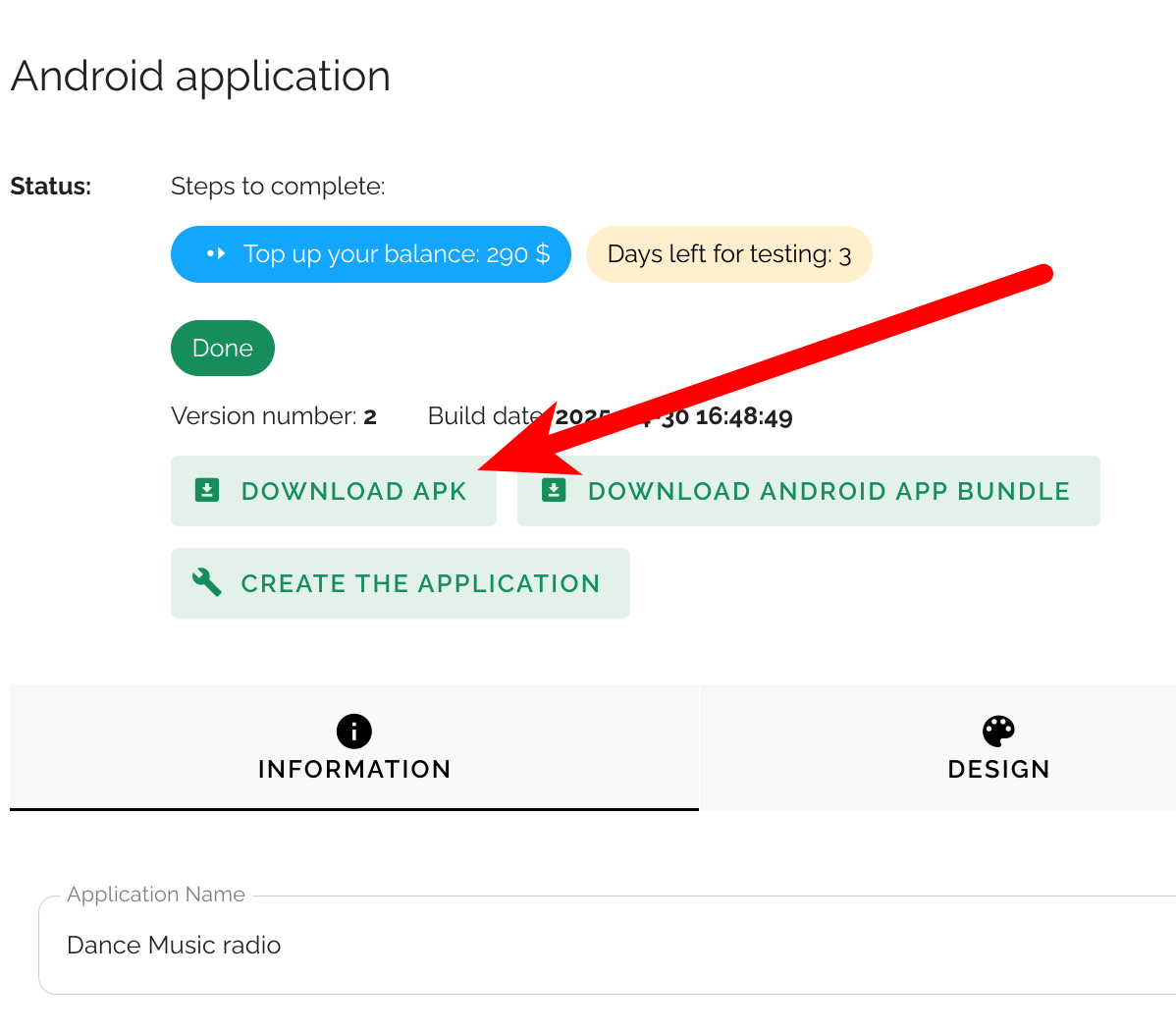
Once your app is ready, the download button for the APK file will become available — this file can be downloaded and installed on Android devices (you may need to allow installation from unknown sources on your device):
See the video tutorial on Youtube:
After the app is created, you will have 5 days of free testing - install it on various Android devices to fully test its functionality. During testing, you can return to the builder, change any settings, and rebuild the app — all free of charge.
You can share the APK file or a link to your app on Google Play/Huawei App Gallery on your radio station’s website so listeners can easily find and install it.
Important note about devices and testing
You do not need to have an Android device to create a mobile application in our app builder - the entire process (settings, design, configuration, and build) is done through the web interface.
However, we strongly recommend having at least one Android device for testing. After each build, you can download the APK file, install it manually on any Android smartphone, tablet, Android TV, or Android Auto - compatible device, and fully test the app before publishing to Google Play or Huawei App Gallery.
You can:
- Change app settings in the app builder as many times as you want
- Rebuild the app after each change
- Install and test every new build on your device
- Verify design, playback, stability, and overall user experience
We will publish your app in the app stores only when you are 100% satisfied with the result.
During the free testing period, you have complete flexibility to experiment, refine, and perfect your app - with no risk and no additional cost.
Updating the app after publication
Even after your app is published on Google Play, you can continue to manage and update much of its content without publishing a new version to the app store.
The following changes can be made instantly via the app builder and do not require a Google Play update:
- Add new radio stations to the app
- Change stream URLs for any existing radio station
- Update radio station logos
- Edit radio station titles and descriptions
- Modify social media links
- Change radio-specific settings, including:
- Show or hide likes and dislikes
- Enable or disable the shoutbox (track requests)
- Enable or disable track cover image display
These updates are delivered dynamically and become available to listeners without reinstalling or updating the app from Google Play.
Changes that require publishing a new app version
Some changes affect the core structure or metadata of the application and therefore require publishing a new version in the application store:
- Changing the main app icon
- Changing the main app logo
- Changing app color themes
- Updating the app title, main description, website URL, or contact email
- Receiving new core engine updates, including:
- New application features
- Support for newer Android versions
- Platform-level improvements and optimizations
In these cases, a new version must be submitted to Google Play (and/or Huawei App Gallery). Publishing such updates may involve an additional fee, depending on the scope of changes and update policy at the time.
This approach allows you to freely manage and update your radio content on a daily basis, while keeping full control over when and how store-level updates are released.