



Host your radio anywhere
You can install our Internet Radio Platform on any hosting, it just needs to meets the minimum requirements: 1 core CPU, 1GB of RAM and enough disk space to fit all your audio files, the operating system is Linux and the x86 processor architecture. If you are not satisfied with any hosting, or it is blocked in any country, you prefer to work only with a certain hosting or you already have a server - no problem, our product is universal and you can install it to any provider.
Ready to use widgets for your website
Do you already have a website for your radio? You can place a player, shoutbox and other radio modules on it without any problems - just take the ready-made HTML code in the “Useful” section and copy it to your website.
Stream relays
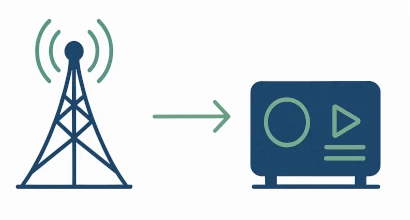
Repeaters can pick up the audio stream from other Internet radio stations and you can put them on the air at a certain time using the scheduler.
Podcasts
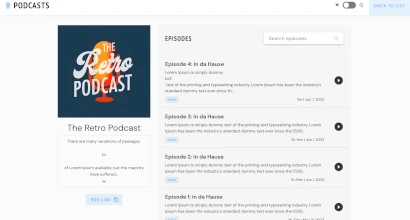
In addition to online streaming, our Internet Radio Platform also supports on-demand content like podcasts. You can create podcasts, add episodes - all this will be displayed to your listeners in the form of a convenient player page. The podcast module can also be connected to the radio site, which is included in the package and, of course, provide an RSS feed for each of the podcasts so that listeners can listen to them in any podcast receiver.
Accessibility support

We understand how radio and working with audio content are important for the visually impaired and people with other disabilities, so our Internet Radio Control Panel supports screen reader software, audio event identification and other additional features that make it easier for these categories of people to work.
Text-To-Speech support
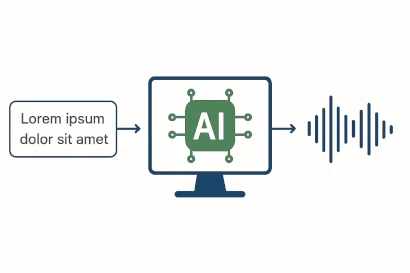
Directly from the Internet Radio Control Panel, you can compose a text, send it to voiceover (several voices, intonations and languages are supported) and get a ready to use MP3 file that you can insert into any playlist, use as a jingle or podcast. We use Artificial Intelligence backend, the cost of voice acting is more than affordable, for example, voicing 5,000 characters costs only 20 cents.
URL Branding
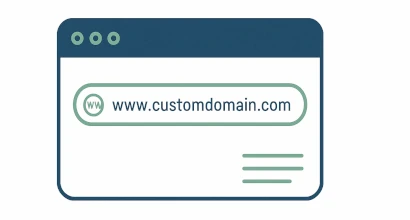
Users of our Internet Radio Control Panel can connect their own domain name for the radio panel and for the broadcast itself. To do this, it is enough to configure the DNS of the domain and specify it in a special section of the control panel - and then the system will configure everything automatically.
Android and iOS application for your radio
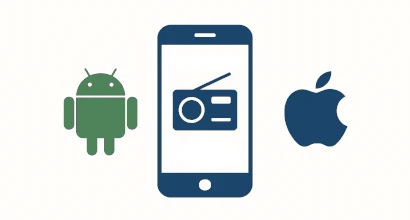
All our users can create mobile applications for Android and iOS that are deeply integrated with our internet radio control panel. We have created our own application engine, optimized for radio listening and the requirements of mobile devices. It supports features such as automatic reconnection when the stream drops and full Bluetooth integration. Our applications are 100% native Android and iOS apps. We have been developing applications since 2011 and have already published more than 200 apps on Google Play and the Apple App Store. We offer both inexpensive, customizable apps with standard functionality (logos, streams, and branding) and fully custom applications of any complexity. See our app creation guide on YouTube .
Full HTTPS protocol support
All modules and our Internet Radio Control Panel itself fully support the HTTPS protocol. Broadcasting via Icecast, Shoutcast and proxies also support HTTPS, all settings are automatic, it is enough to connect the domain name to the broadcast and then our Radio Platform will configure everything automatically.
Royalty reports
Our Internet Radio Platform lets you easily generate different types of reports and statistics, including SoundExchange compatible reports for tracks: Average Listening Hours, total listening time, number of playbacks for every track, etc.
Accept your listeners calls directly from your browser
Our Internet Radio Platform not only supports broadcasting directly from the browser, but also has a unique opportunity to receive calls from listeners directly from the browser. You can send any listener a special URL, by clicking on which they will be able to call you live from the browser and you, having accepted an incoming call, can take the listener live. The listener does not need to install any additional software to make a call - he calls directly through the browser (mobile browsers are also supported).
Broadcast using your browser
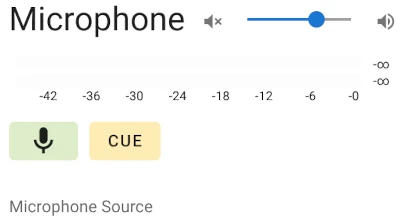
In addition to the standard well-known streaming programs (Audio Hijack, Radioboss, Sam Broadcaster, BUTT, and so on) - You can broadcast directly from the browser. You can stream music, speak into a microphone, and even receive incoming calls from listeners live. Yes, the sound quality and the ability to fine-tune all parameters are not the same as in professional programs, but you do not need to install any additional programs and in many cases a Web browser is already enough to stream live.
Listeners on the World map
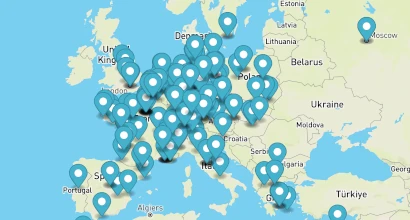
View in real time which cities and countries are listening to your broadcast on the World map. Moreover, you can connect this interactive listener map to the radio website, which we provide for free with our Internet Radio Platform.
Radio website out of the box
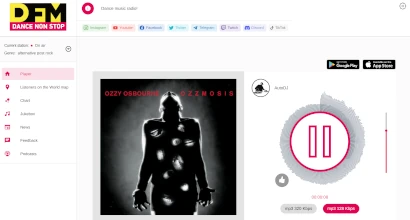
Don’t have your own website for radio? No problem, a ready-made website is already built into our Internet Radio Platform. You can configure which sections to display on it directly from the control panel, upload a logo, add your own HTML code. You will have: an interactive listener map, shoutbox, podcasts, feedback, links to social networks, a hit parade of the best tracks, news. There are dark and light themes too!
Social networks streaming
Do you want to be listened to directly from Youtube? No problem - you can create a broadcast on a social network and then set up sending an audio stream to this social network in our Internet Radio Platform. Your radio broadcast will be sent as audio, and you can upload an image or a short video clip. We support broadcasting on Fb, Youtube, Telegram and other social networks.
StereoTool support
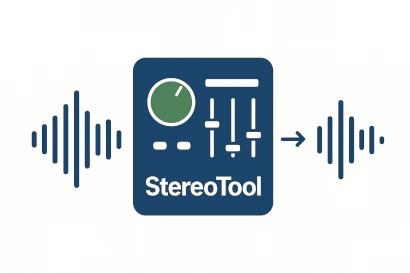
Stereo Tool is a de facto standard among audio processors for online streaming, and support for it is built into our Internet Radio Platform. This processor can significantly improve the sound quality of online radio. It is configured using preset files available online; radio owners also share presets in our Telegram channel. Many features are free, while a license key unlocks additional settings. Once you hear the improvement, returning to unprocessed audio may be difficult for both you and your listeners.
WHMCS support

Streamline your radio hosting services with seamless WHMCS integration! 🚀 The WHMCS Provisioning Module integrates Streaming.Center with WHMCS, automating radio account management, billing, and service controls. It supports auto-provisioning, suspension, termination, and works with WHMCS 8+ and PHP 7+. The open-source module is easy to install and configure via WHMCS admin settings.
API for everything
Our internet radio control panel provides an API for almost every function, allowing you to automate tasks and create your own integrations. You can use the API to build scripts for websites, mobile applications, players, and more. The concept is simple: you access a specific panel URL, receive data in JSON format, and use it in scripts written in PHP, JavaScript, or another language. API request authentication is supported. API documentation is available here .
Audio Editor
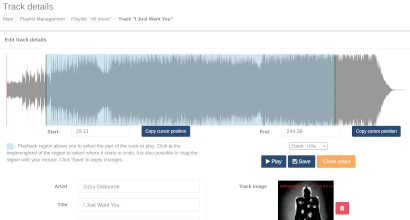
You can visualize any of your tracks by generating a waveform, define mix in/out points where playback starts and ends.
Low CPU usage
The engine that we use for broadcasting and audio processing is written in C++ and is highly optimized, so the load on the server processor is very low. To run up to 5 radios on one server, you will only need a server with 1 processor core and 1GB of RAM, and on a modern server on a processor, for example, Core i5 13500, you can run up to 300 Internet radios simultaneously. Our product outperforms radios based on Liquidsoap by about 15-20% in terms of CPU performance.